Temperatures & probe calibration
Log cooking, cooling, cold storage, reheating and hot holding checks. Set safe limits, choose Celsius or Fahrenheit, and record probe calibration checks.
Keep delivery checks, chilled topping records, cleaning and allergen information organised while the ovens are busy.
Start your 14-day free trial ↗iOS & Android · Routine records work offline
A HACCP app for pizzerias that keeps temperature logs, cleaning and fully customisable opening and closing checks together.
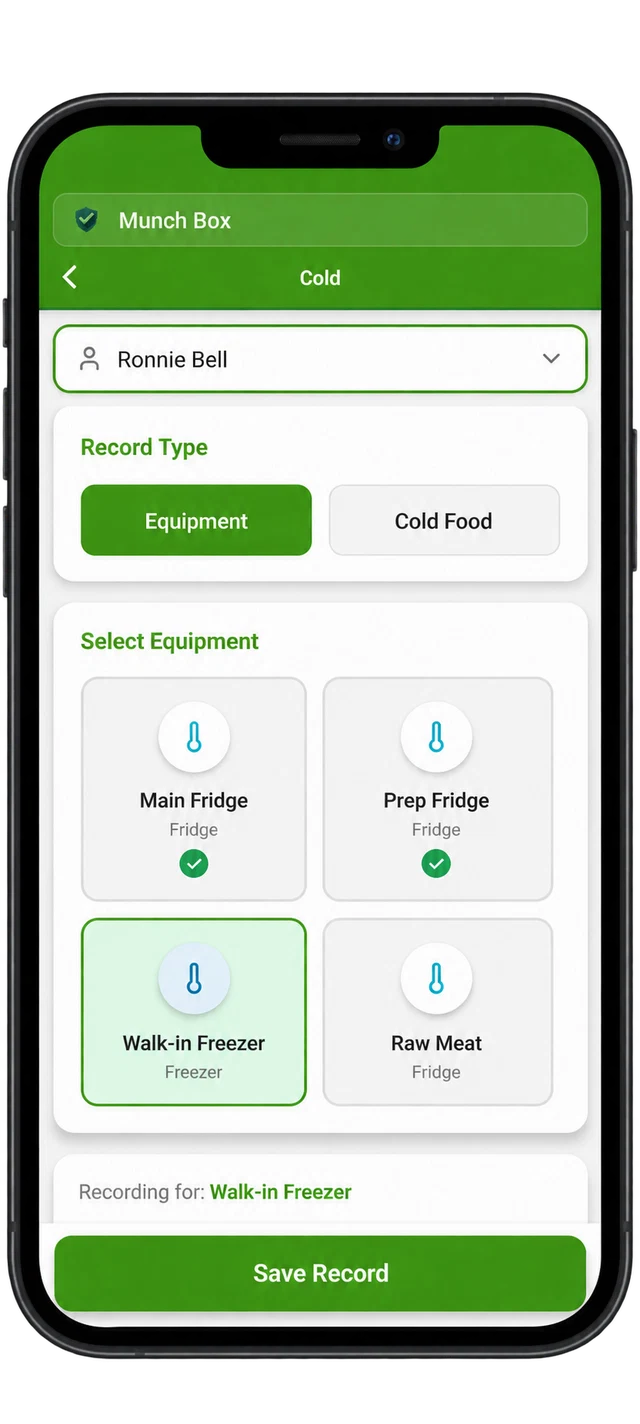
Log cooking, cooling, cold storage, reheating and hot holding checks. Set safe limits, choose Celsius or Fahrenheit, and record probe calibration checks.
Create fully customisable opening and closing checks for your business, and keep cleaning tasks and completion records together.
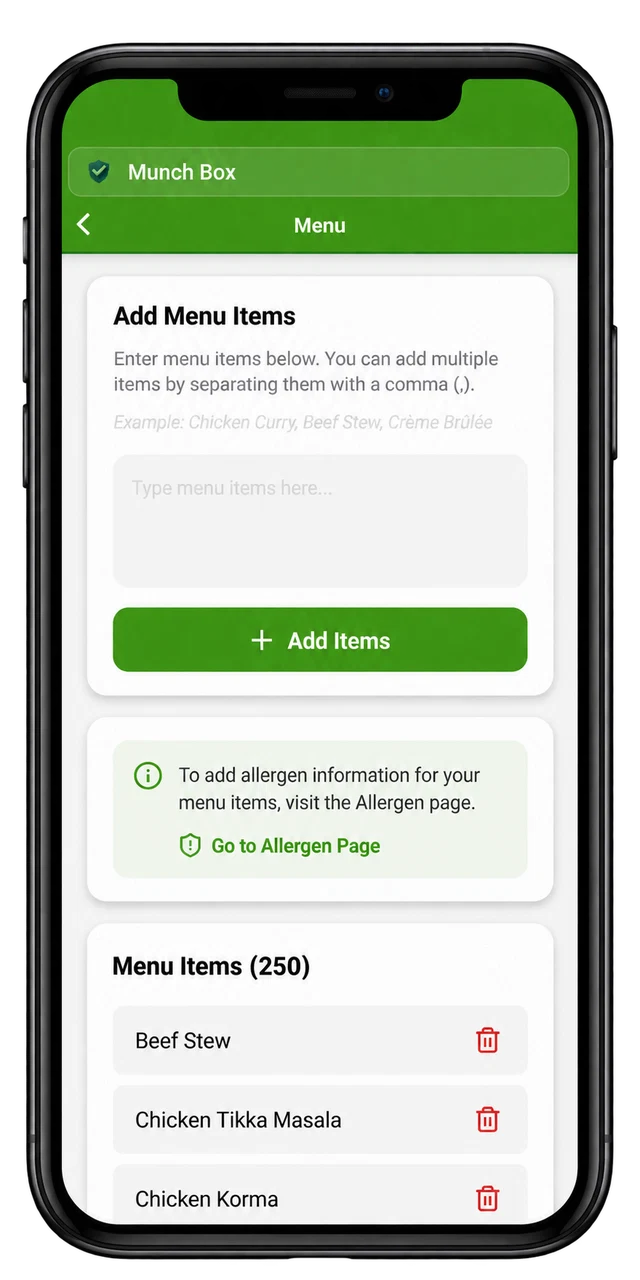
Add and manage your menu items, then record and update the allergen information for each dish as ingredients or recipes change.
Record supplier details, goods-in checks and delivery temperatures, with an organised history of incoming food checks.
Record corrective actions, equipment defects and pest observations. Keep details of the issue and the action taken together.
Record training types, qualifications, certificates and supporting notes for individual staff members.
Add staff members and name your fridges, freezers and other equipment, so records identify who completed each check and the equipment checked.
Choose which feature tiles appear on your home screen. Keep the sections your business uses visible and hide those you don’t need.
Review your record history and export PDFs to retain, review or share your evidence.
A closer look at HACCP-records.app, from recording a reading to tailoring the checklists to your kitchen.
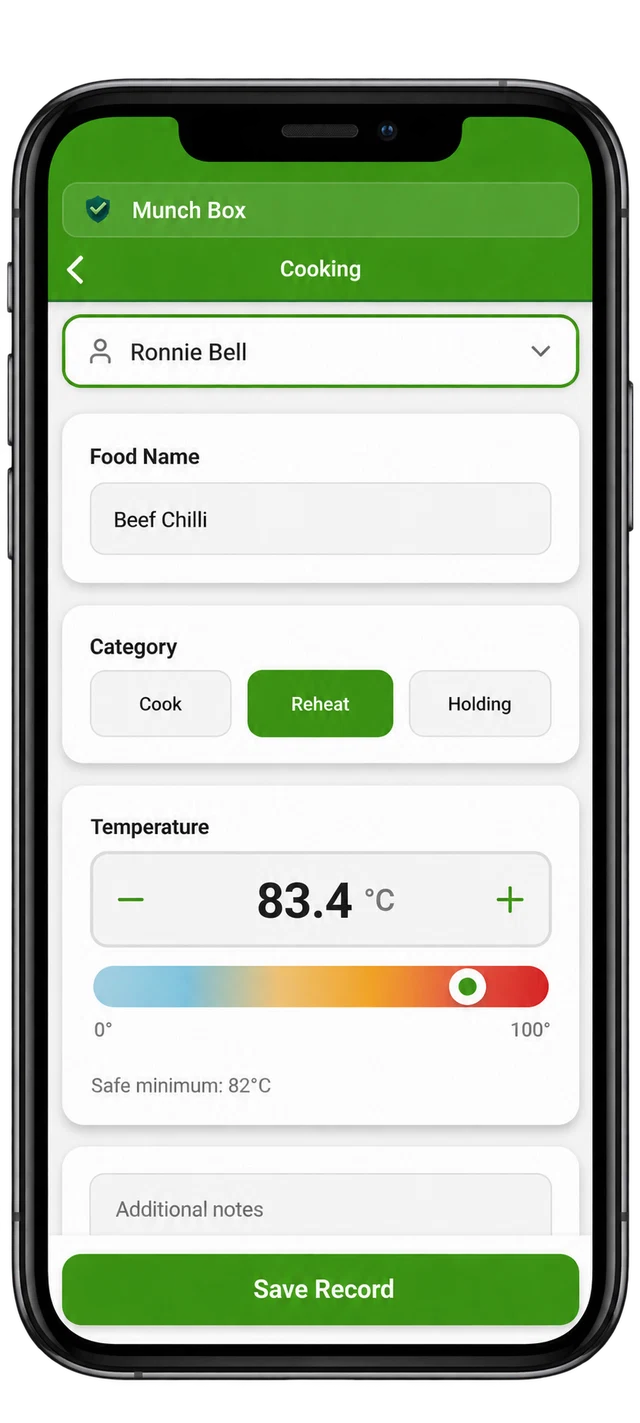
Choose the team member, name the food and select cooking, reheating or holding. The temperature control shows the reading alongside the configured safe minimum.
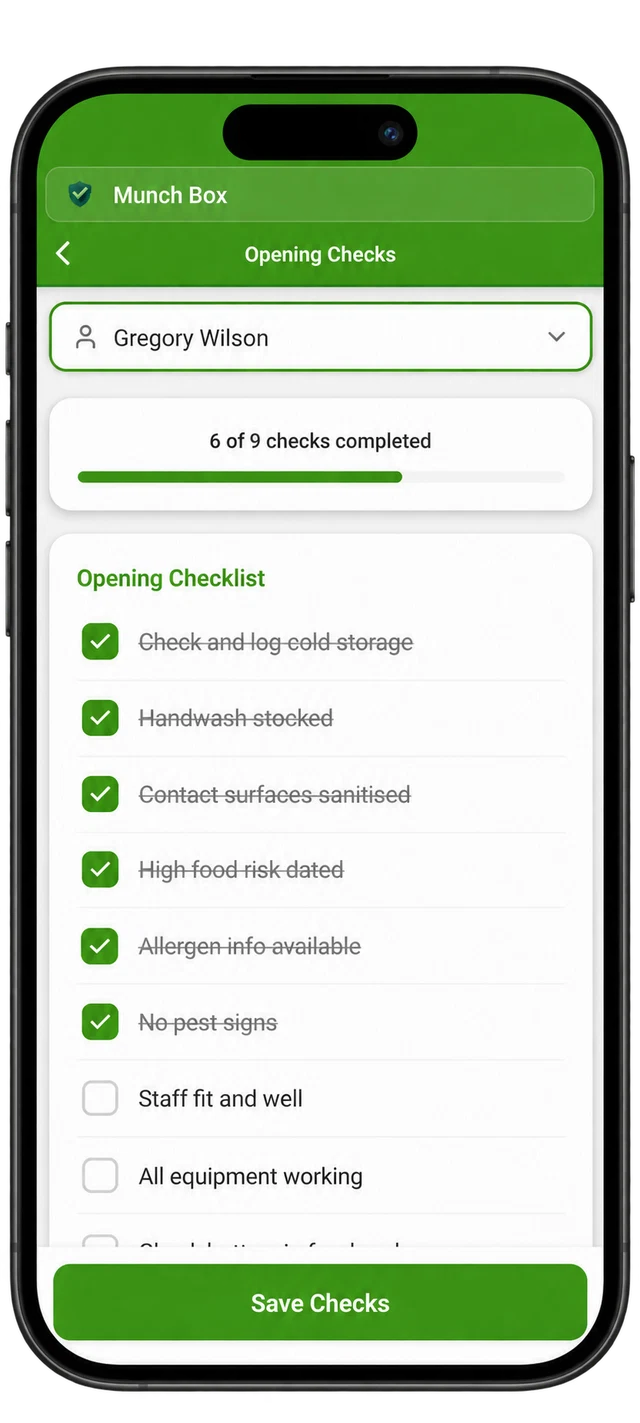
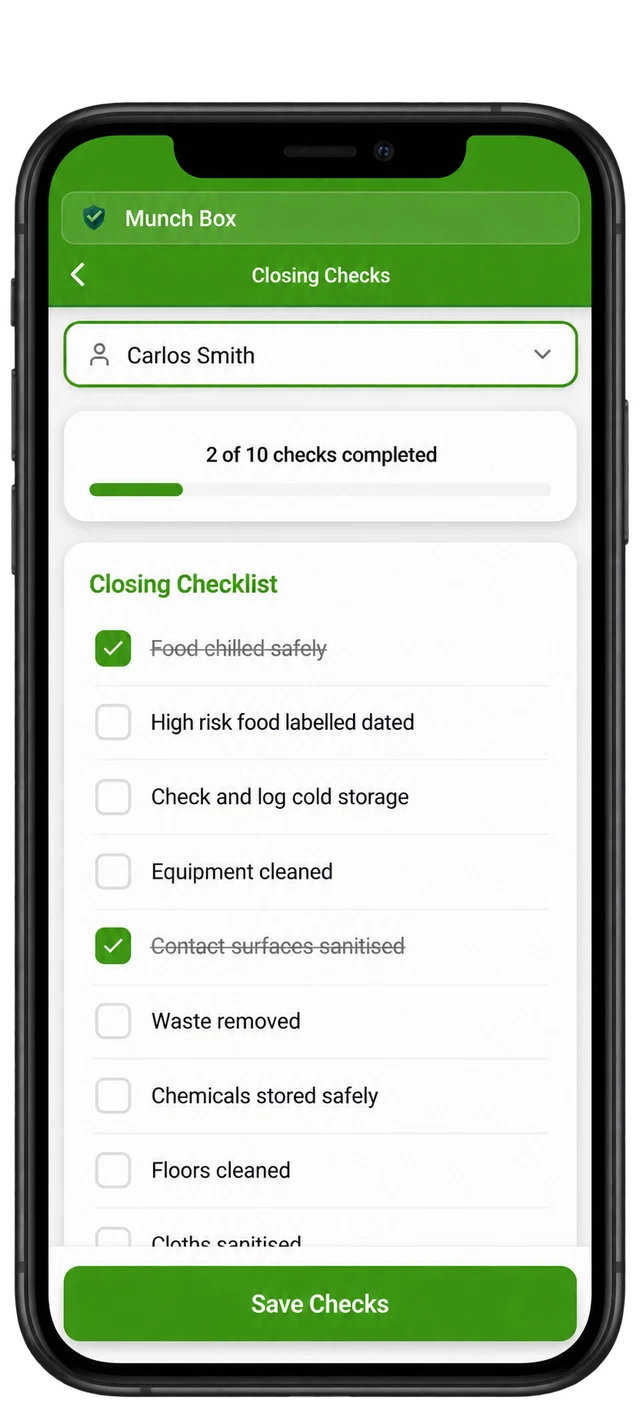
Build opening and closing checklists around your kitchen. Add the checks you need, remove those you don’t and choose when each check applies. Tick off completed items and follow your progress before and after service.
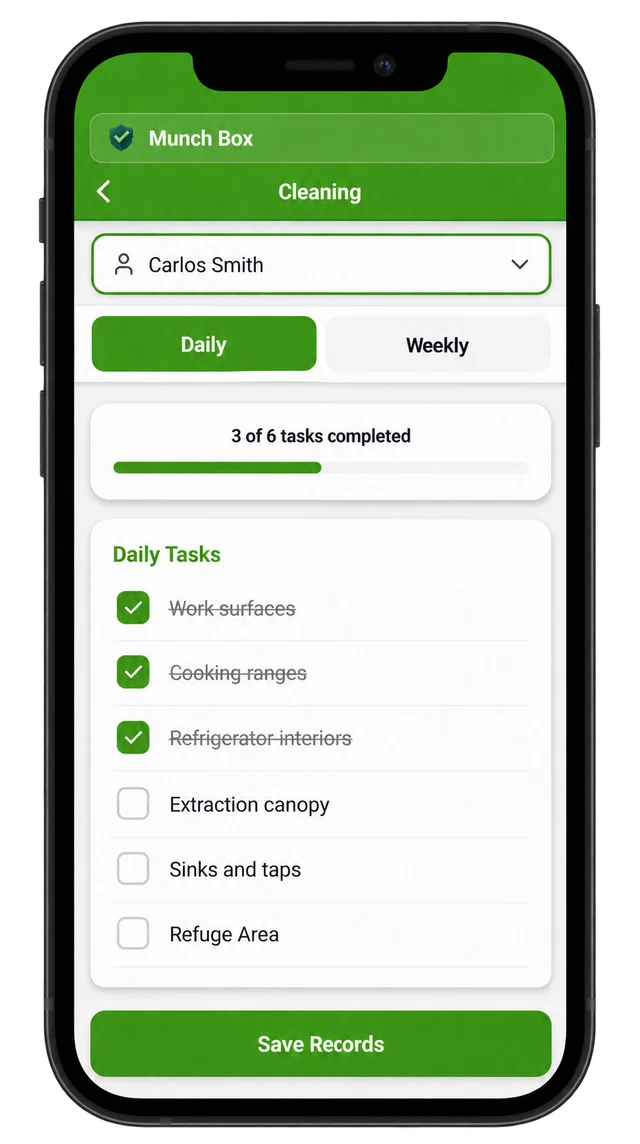
Build your cleaning routine around your kitchen. Cleaning tasks are fully customisable, so you can add the jobs you need and remove those you don’t. Switch between daily and weekly tasks, tick off completed work and save the record, with progress visible as you go.
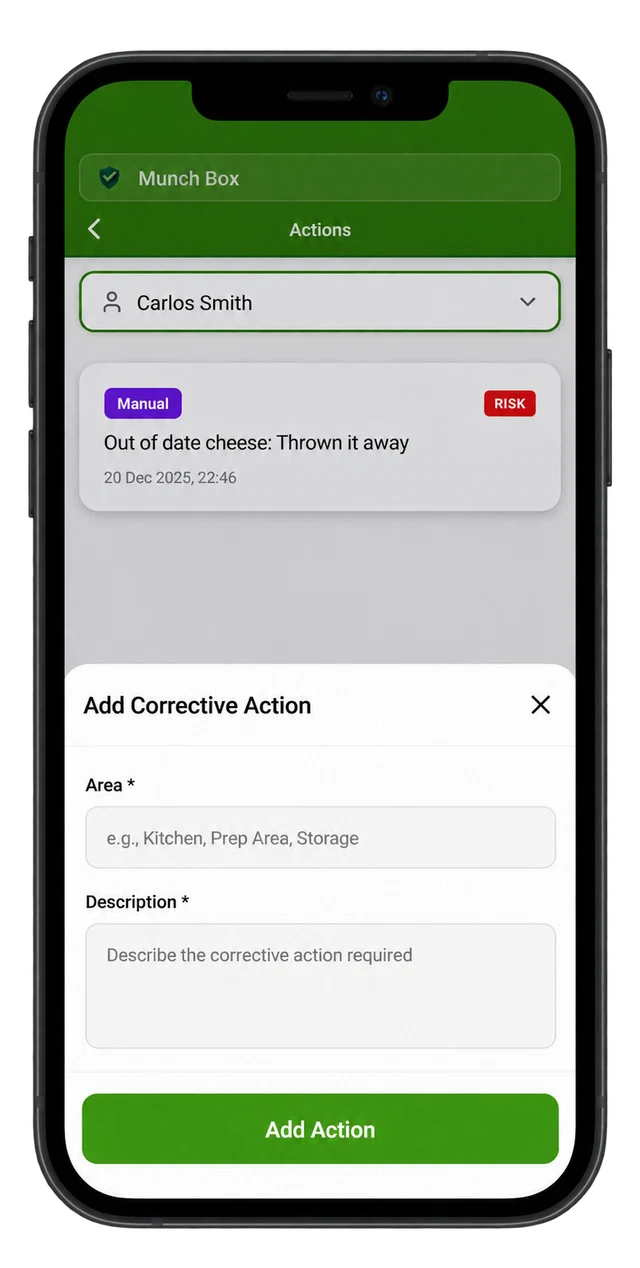
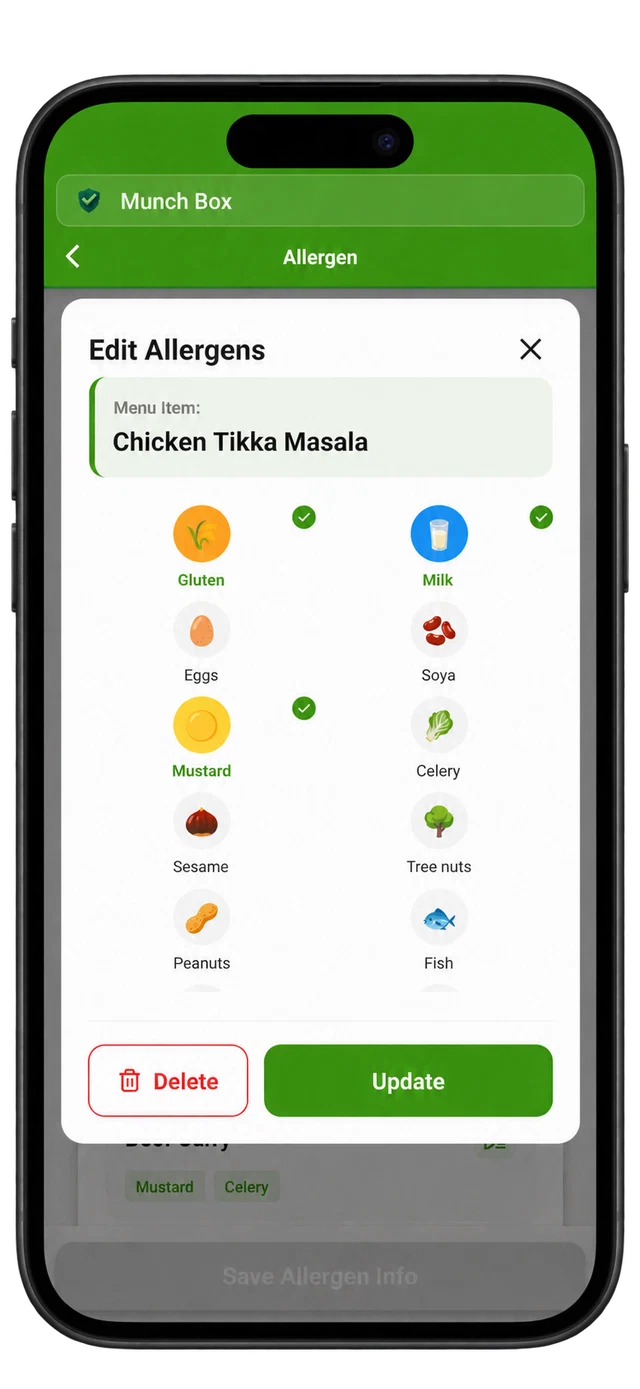
Add your menu items, then record their allergen information. The allergen editor uses named icons and selection controls to make each item easier to review.
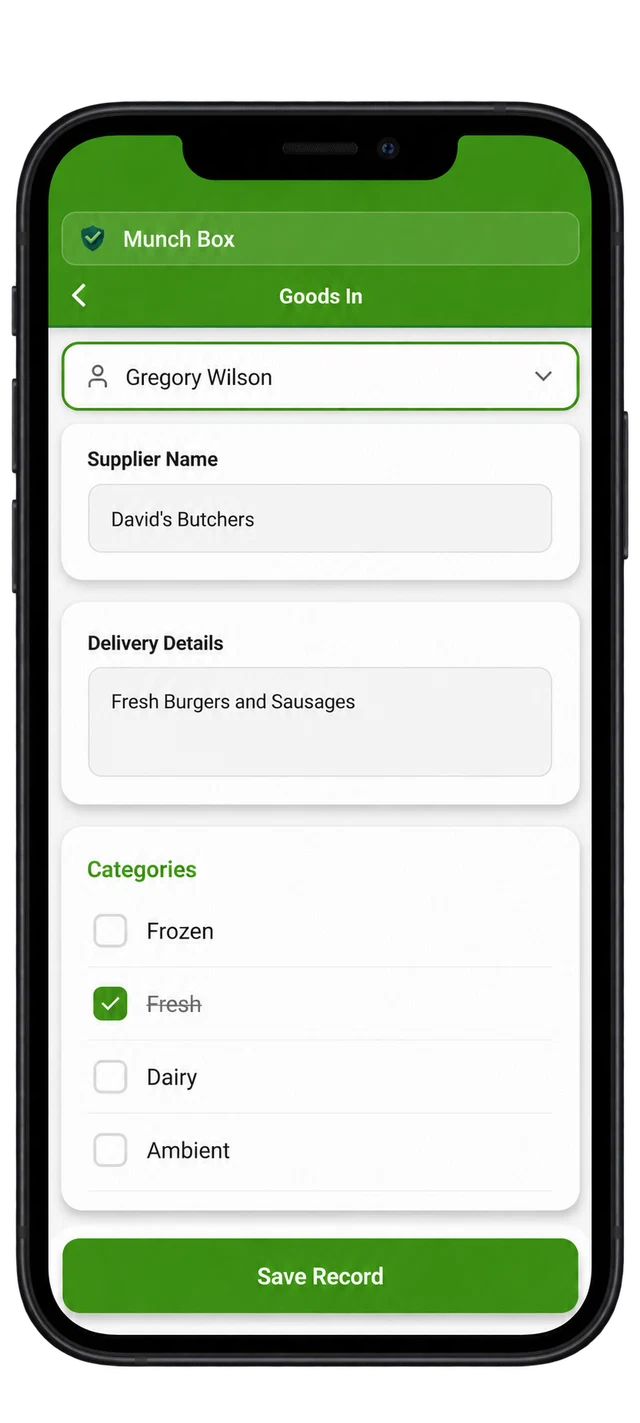
Record the supplier, delivery details and food categories, such as fresh, frozen or dairy, with the staff member completing the check.
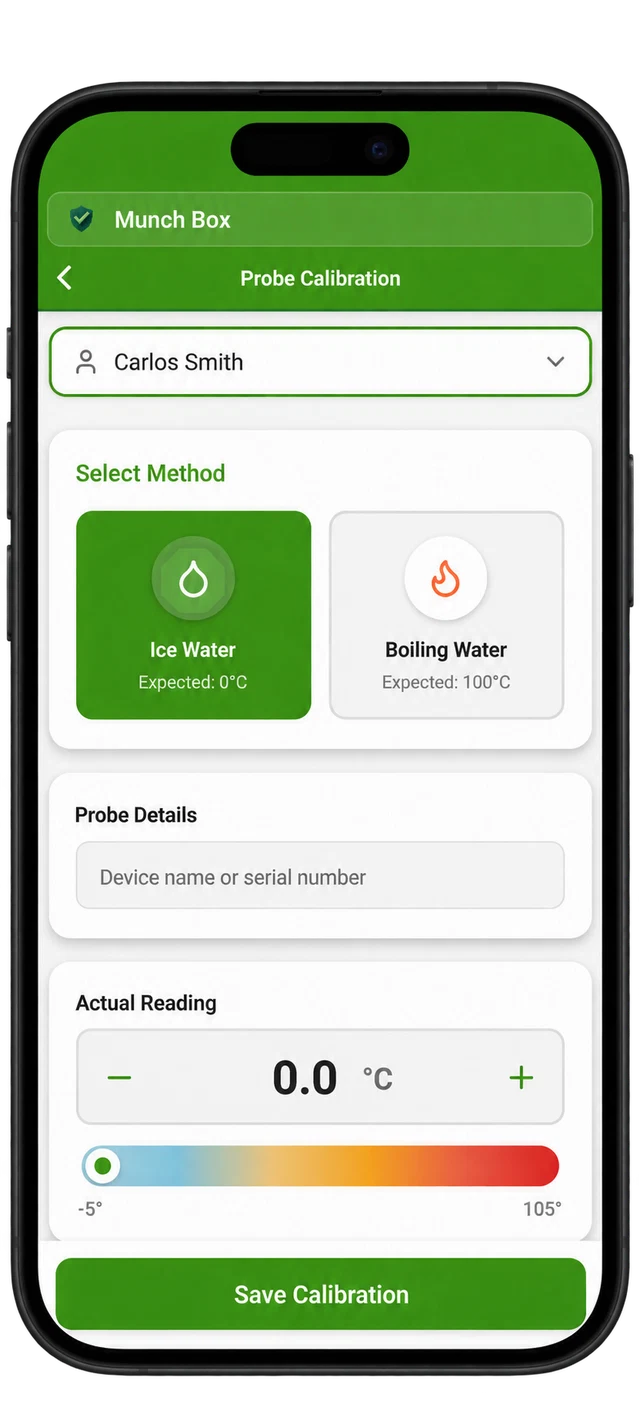
Select ice water or boiling water, identify the probe and enter the actual reading. Keep a record of the check alongside your food temperature records.
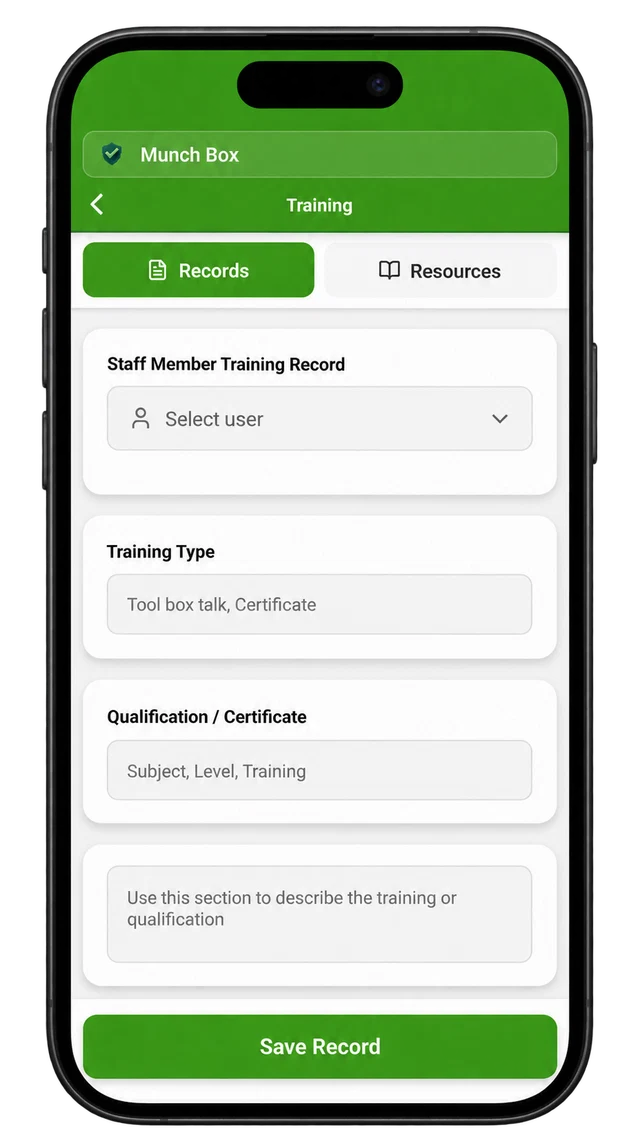
Select a staff member and training type, then enter the qualification or certificate and supporting notes. Keep relevant training information organised.
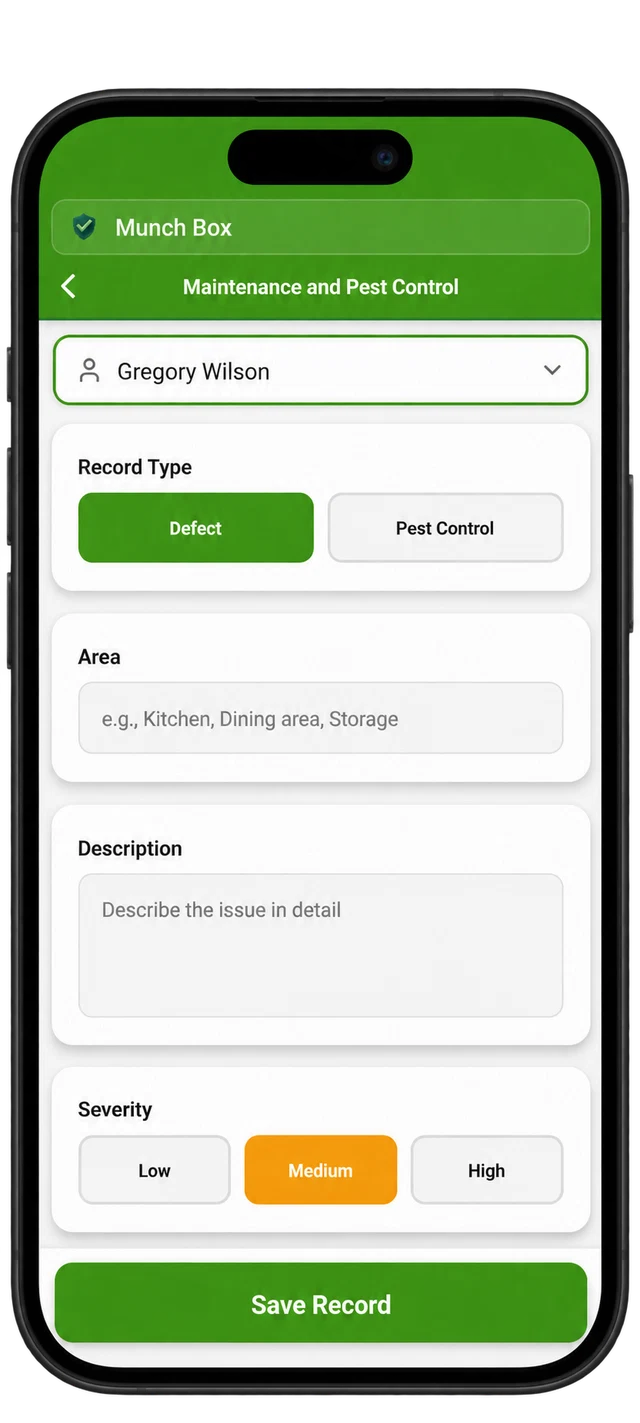
Choose defect or pest control, identify the area and describe what was found. Use the severity selector to distinguish the level of concern.
Adjust the details behind your records so the app reflects your equipment, team and routines.
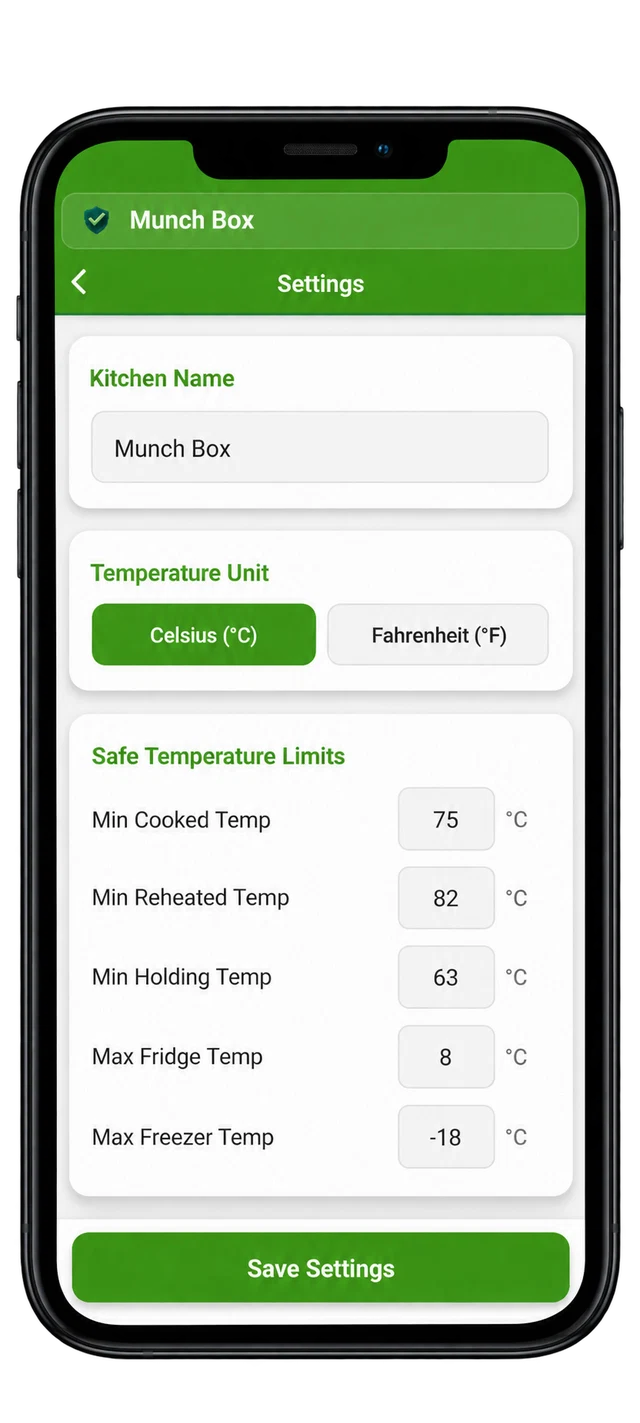
Choose Celsius or Fahrenheit and configure limits for cooking, reheating, holding, fridges and freezers to match your procedures.
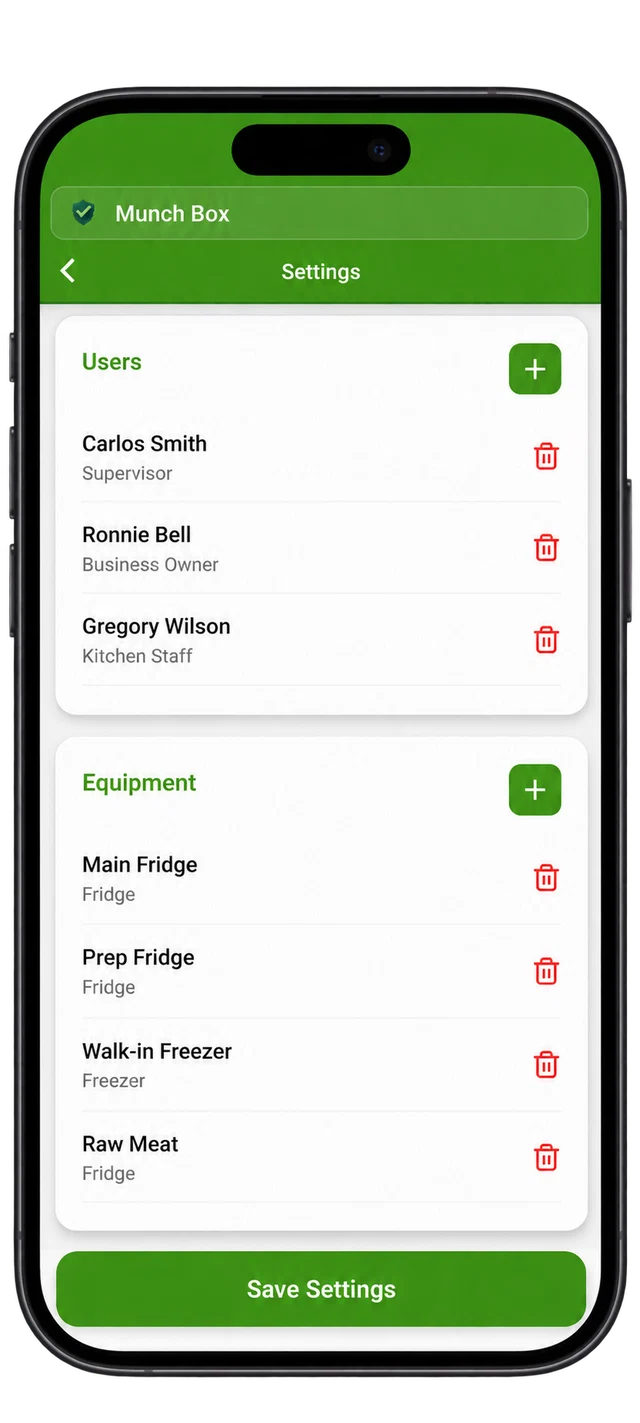
Add staff members and named equipment, so the right people and storage units are available when recording checks.
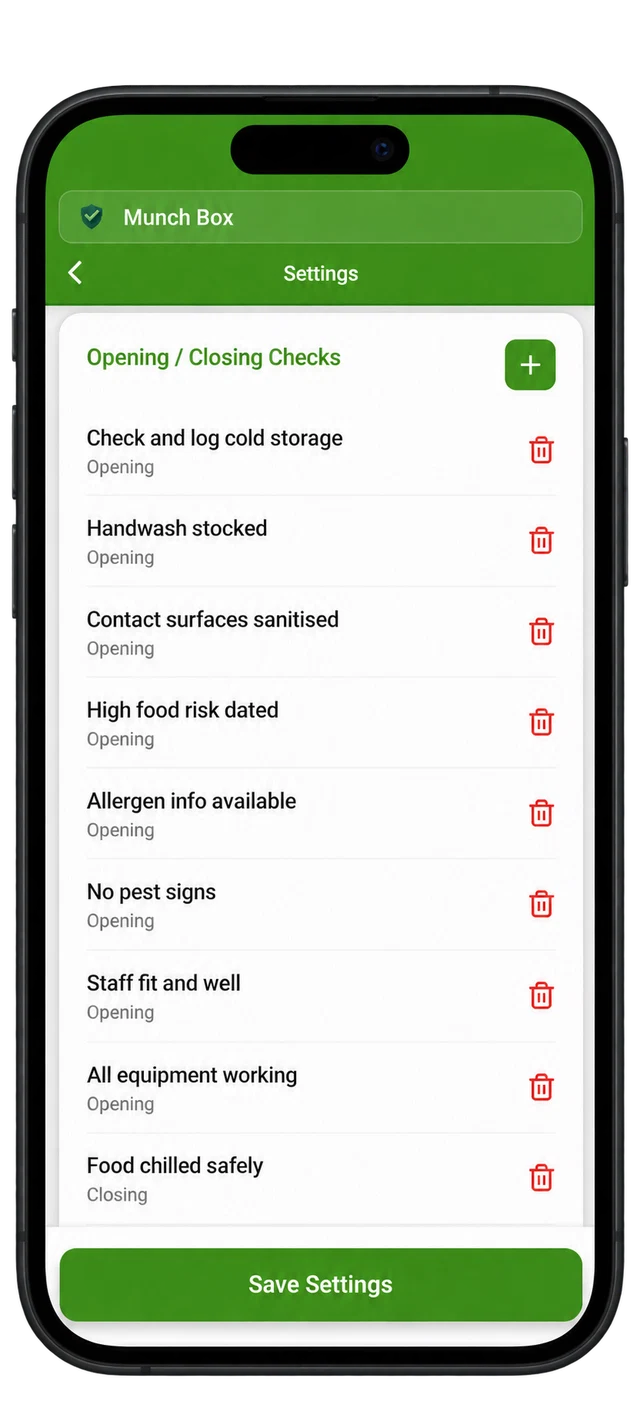
Add checklist items and assign them to opening or closing, keeping the routine relevant to your kitchen.
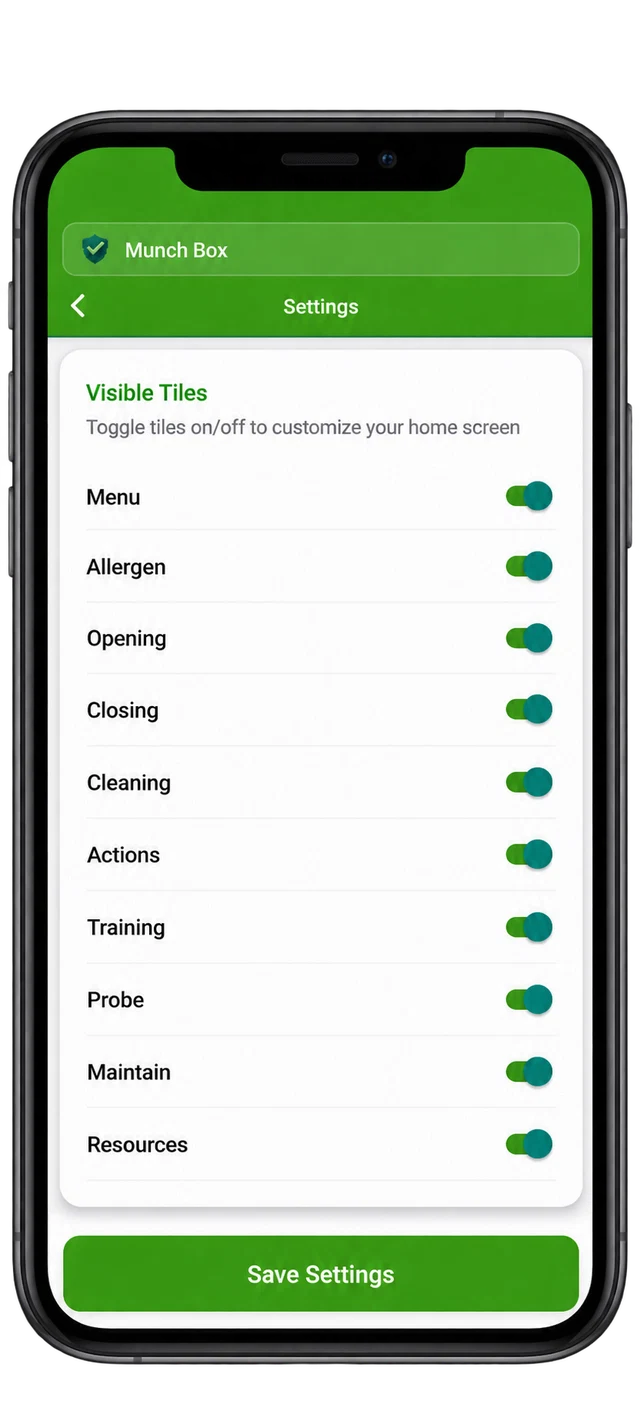
Use the visibility toggles to choose which sections appear on the home screen, keeping the tools you use close to hand.
Example business names, staff and readings are shown in the app mockups.
Make digital recording part of the work you already do. Set checks around your menu, equipment and food safety procedures.
Try it in your kitchen ↗Record goods-in checks and temperatures for ingredients that need temperature control.
Keep menu allergen information organised as toppings and recipes change.
Complete cleaning and closing checks so you’ve got a clear record of the day.
Every standard feature included. Start with a 14-day free trial. Store pricing and subscription terms are shown before purchase.
You don’t need a complex cloud platform to keep organised digital records.
GBP · Pay monthly
Start free trial ↗GBP · One annual payment
Start free trial ↗Record food temperatures, opening and closing checks, cleaning, deliveries, allergens, corrective actions, staff training, probe checks and maintenance or pest observations.
Routine recording works offline, with operational records stored on your device. You’ll need an internet connection to download the app and for store-related services.
You can export records as PDFs when you need to retain, review or share them. Keep suitable copies of important records as part of your own record retention arrangements.
The app supports record keeping. You still need procedures suited to your business, appropriate checks, staff instruction and action when something goes wrong. Using an app doesn’t guarantee compliance or a food hygiene rating.